

– Collect the videos and photos captured during the mission through DJI FlightHub 2 or download from the drone SD card to be used as evidence or debrief documentation.

- Industries
- Products
Remote Drone Operation Solutions

Developer Technologies

Accessories
- Insights
- Events
- Eco System
- Data Security
- Support
- Industries
- Products
Remote Drone Operation Solutions
Developer Technologies
Accessories
- Insights
- Events
- Eco System
- Data Security
- Support
Urban Fires
Tackle urban fire emergencies with drone thermal readings; improve your response efforts by localizing hotspots and deploying teams more effectively.
Painpoints
- Firefighters often have little information about the complexity of the situation before entering a structure.
- Information exchange between fire brigades is often inefficient, hindering the effectiveness of the fire response and the chances of early mitigation.
- Main fire sources might be hidden under debris, smoke, or flames, making it difficult to identify and extinguish them.
Advantages
- Assess the severity of the incident in real-time and deploy teams to focus on the major sources of fire.
- Monitor the fire incident with a thermal aerial perspective to better coordinate the response and strategically deploy fire brigades.
- Thermal drone imagery can detect different fire sources and their respective temperatures.
Solution
Quick Risk Assessment
The Mavic 3T offers unparalleled portability for quick deployment missions. Easy to carry on fire response vehicles and equipped with visual and thermal cameras, it’s the ideal solution for initial risk evaluations.
- Compact and lightweight design, less than 1kg and easy to carry in the response vehicle.
- Fast and easy deployment, get airborne in around 30 seconds.
- 640 × 512 thermal radiometric sensor for accurate temperature readings.
- Thermal palettes and temperature measurement tools for easy data interpretation.
Payload And Software

DJI Pilot 2
Ground control

DJI FlightHub 2
Drone and dock's cloud management system
Workflow
1) Mission Execution:
– Fly manually over the affected area looking for hotspots. Switch between infrared and visual views to evaluate the situation.
– Select a suitable infrared palette and gain mode for the conditions at hand.
– Use orbit flights to perform 360 circular flights around the structure, facilitating the risk evaluation.
– Use the Link Zoom feature to zoom in simultaneously with thermal and visual sensors.
– Share live feed with command staff through DJI FlightHub 22) Post
2) Post Mission Documentation:
– Collect the videos and photos captured during the mission through DJI FlightHub 2 or download from drone SD card to be used as evidence or debrief documentation.
High Performance Fire Response
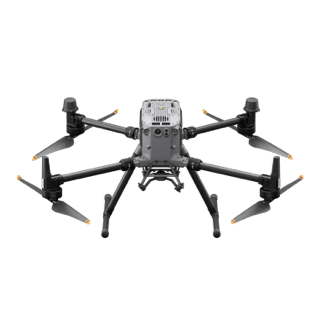
The Matrice 350 RTK, equipped with the Zenmuse H30T, brings enhanced thermal capabilities to fire response. Using the new H30T Night Scene mode, fire brigades can now gain valuable insights during low-light operations
- The Matrice 350 RTK, equipped with the Zenmuse H30T, brings enhanced thermal capabilities to fire response. Using the new H30T Night Scene mode, fire brigades can now gain valuable insights during low-light operations
- Powerful infrared sensor with 1280 × 1024 resolution provides superb thermal imagery.
- Robust and weatherproof airframe graded IP54, allows you to fly when is most needed.
- Laser range finder to get accurate coordinates of objects up to 3,000 meters range.
- Enhanced full-color or black-white night vision to easily identify risks. Drone Platform
Drone Platform
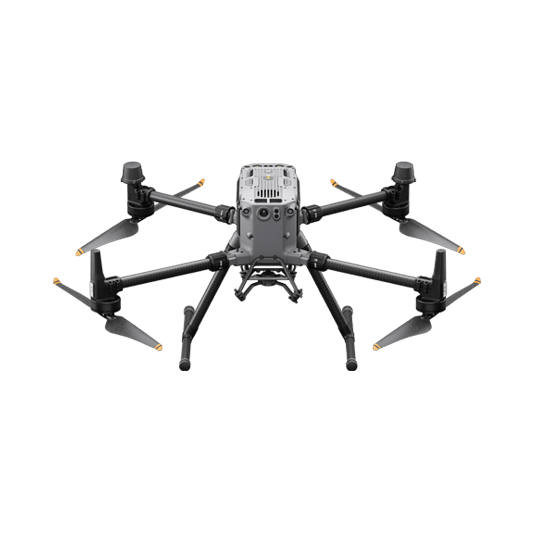
Matrice 350 RTK
Weight: Approx. 6.47 kg(with single downward gimbal and two TB65 batteries).
Payload And Software
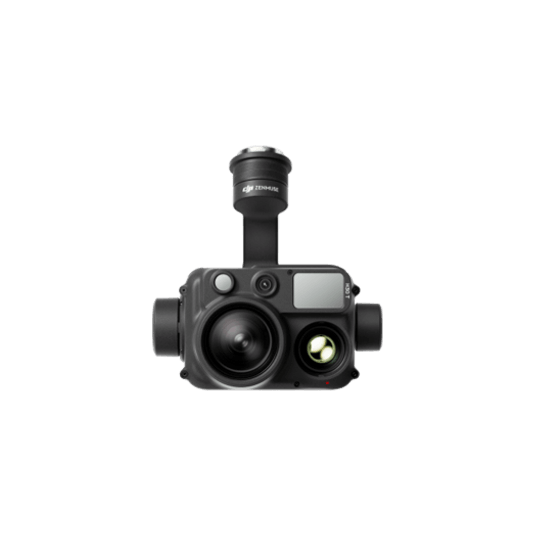
Zenmuse H30T
Weight: 920±5 g.
Ingress Protection Rating: IP54.
Zoom Camera: 1/1.8-inch CMOS, Effective Pixels: 40 MP.
DJI Pilot 2
Ground control
DJI FlightHub 2
Drone and dock's cloud management system
Workflow
1) Mission Execution:
Fly manually over the affected area looking for hotspots. Switch between infrared and visual views to evaluate the situation.
– Use the Link Zoom feature to zoom in simultaneously with thermal and visual sensors.
– Select a suitable infrared palette and gain mode for conditions at hand.
– Install the IR Density Filter to increase the measurement range of the thermal sensor.
– Get the coordinates of hotspots using the laser range finder and the Pin Point function.
– Share the coordinates with ground teams through the DJI Pilot 2 QR code or DJI FlightHub 2.
2) Post Mission Documentation:
– Collect the videos and photos captured during the mission through DJI FlightHub 2 to be used as evidence or debrief documentation.
Versatile Aerial Thermal Reconnaissance
The Matrice 30T strikes the perfect balance between portability and performance. It integrates a hybrid sensor with visual, thermal, and laser range finder capabilities, ensuring optimal performance across a variety of fire emergencies.
- Rugged, weatherproof IP55 mid-size airframe, provides balance between portability and endurance.
- 640 × 512 thermal radiometric sensor for accurate temperature readings.
- Optical zoom for detailed object inspection from a safe distance.
- Laser range finder to get accurate coordinates of targets.
- Hot-swappable batteries and improved charging station for continuous operation.
- Night scene feature provides enhanced awareness for low-light operations.
Drone Platform
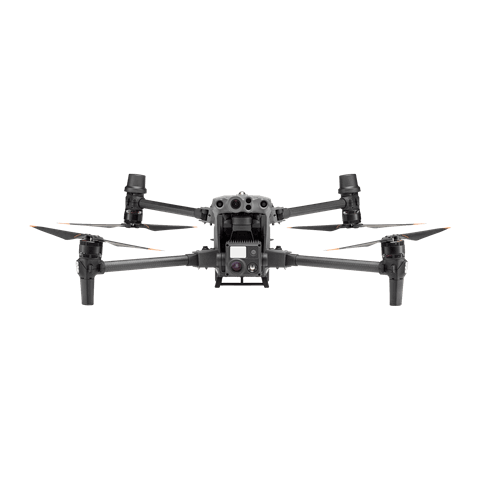
Matrice 30T
Weight (incl. two batteries): 3770 ± 10 g.
Max Flight Time: 41 min.
Payload And Software
DJI Pilot 2
Ground control
DJI FlightHub 2
Drone and dock's cloud management system
Workflow
1) Mission Execution:
– Fly manually over the affected area looking for hotspots. Switch between infrared and visual views to evaluate the situation.
– Use Orbit flights to perform 360 circular flights around the structure, facilitating the risk evaluation.
– Select a suitable infrared palette and gain mode for the conditions at hand.
– Use the Link Zoom feature to zoom in simultaneously with thermal and visual sensors.
– Mark hotspots to revisit using the laser range finder and the Pin Point function.
– Share live feed with command staff through DJI FlightHub 2.
2) Post Mission Documentation:
Contact Us
For more information about product demo or trial, leave your contact information in the form below. You can also reach out to your local dealer for more information.
Mission Situational Awareness
Collision Reconstruction and Forensics
Urban Fires
What are you waiting for? Contact us right now and get a free quote for your project
About Us
At Rarlon Tech, we are proud to bring you cutting-edge solutions by offering a wide range of products from DJI Enterprise, a globally recognised leader in drone technology. Our partnership with DJI ensures you receive high-quality, reliable, and innovative tools to meet your business and operational needs.
Explore
Support
Copyright © 2024 Rarlon Tech. All Right Reserved.